
Short links that open where your audience already spends time
OpentoApp turns long URLs into clean short links that jump straight into the native app: YouTube, Instagram, Amazon, Flipkart, Telegram, and dozens more. No account required to try it; sign in when you want analytics and a link library you can edit anytime.




A normal short link still dumps people in Safari or Chrome. Ours detects the destination and sends them to the installed app when one is available, which is what most creators want when they say "link in bio" or drop a product URL in a reel.





Paste any supported URL, pass the quick captcha check, and copy a short link you can drop in a bio, QR code, or paid ad. Logged-in users get click counts, top locations, and device breakdowns without paying for a separate analytics tool.
Built for links people tap on their phone
We focus on the apps creators share most often. Need a YouTube channel link that opens the app? A Instagram profile for your bio? An Amazon affiliate URL? Each has its own setup page with examples. The core tool on this homepage works the same way for all of them.
Short URLs look cleaner in captions and stories, and they are easier to remember when you mention them out loud. Behind the scenes we route the tap to the right app when it is installed, and fall back gracefully when it is not.
Why send traffic to the app instead of the browser?
In-app browsers feel slower, hide features you expect (subscriptions, carts, DMs), and often break login state. When someone already has YouTube or Instagram installed, opening there feels familiar, which usually means they stay longer.
OpentoApp supports a wide mix of shopping, social, and messaging apps: Flipkart, Meesho, Myntra, LinkedIn, WhatsApp, and others alongside the logos shown here. You do not need a separate tool per network unless you want platform-specific tips on our dedicated pages.
After you publish a link, the dashboard shows where clicks came from and which devices people used. That is enough for most creators to double down on what works without exporting spreadsheets.
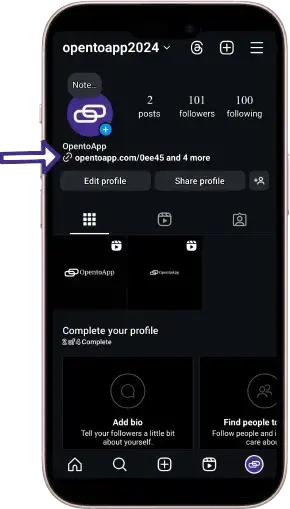

How to create your first link
Visit opentoapp.com in any browser on desktop or mobile.
Tap Create Link in the header or hero area.
Paste the full URL you want to share: a channel, product page, or profile all work.
Complete the captcha so we can block automated abuse.
Hit create and copy the short link when it appears.
Share it anywhere. The next tap should open the matching app when installed.
Watch here short walkthrough video if you prefer watching over reading.

What you get with a free account
- Unlimited link creation with app-aware redirects
- Click analytics with country, device, and source breakdowns
- Optional custom titles so shared links look on-brand
- No paywall on core features. We fund the service through ads and community support
Set up links by platform
Pick the app you share most often. Each guide walks through the same free link setup, tuned for that platform.
Copyright © 2024 OpentoApp All rights reserved.